You’ve probably noticed that data about your website users and conversions collected by different analytics tools might vary. Most of the time, you’ll see that the purchase number in Google Analytics is lower than in your CRM. Where this data discrepancy comes from, why is it happening, and how to fix it?
The most common reason for data discrepancy are:
In this article, we will talk about Google Analytics as the most popular analytics service and discuss the number one reason for GA data loss – ad blockers. Also, we will show you how to prevent your Google Analytics data from being blocked by ad blockers and Intelligent Tracking prevention.
Lately, the functionality of ad blockers has expanded. Now, they hide ads, protect personal data, and hide user behavior from analytics tools.
AdBlock technology works based on shared lists called filter lists, which determine which content should be blocked or hidden and which content can be shown on the visited pages. These lists are lists of URLs that belong to either allowed lists or blocked lists.
Below you will find examples of the blocked list for the most popular Ad Blockers:
According to PageFair Adblock Report 2020:
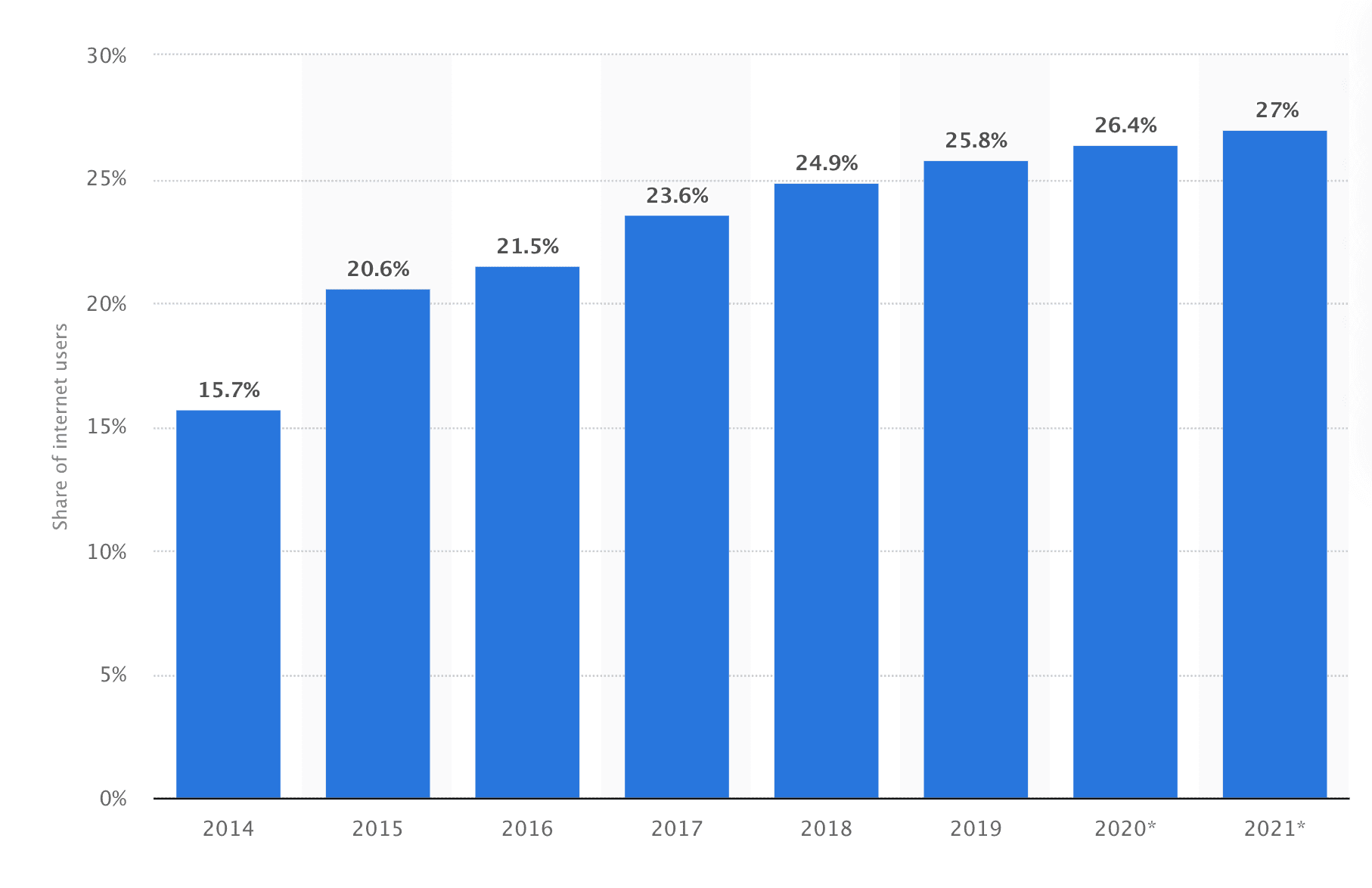
Another study shows that in 2020 26.5% of US citizens used Adblockers. This number grows by 1% each year starting from 2017. It means that your Google Analytics is losing around 27% of data about your website users.
One of the best ways to prevent Google Analytics blocking is moving the GA tag to the Google Tag Manager Server container. I’m saying “best” because, with Server-Side tagging, you will have many other benefits, not only adblockers and ITP prevention.




Comments