
The Pro and Business plan stat users have access to logs. This feature is handy while setting up server-side tracking because you can see what data was sent, the requests response code as well as processed parameters so that any issues with your network or vendor won't go unnoticed.
For Pro and Pro+ users - logs for the last 3 days. And for Business and higher plans - logs are available for the last 10 days.
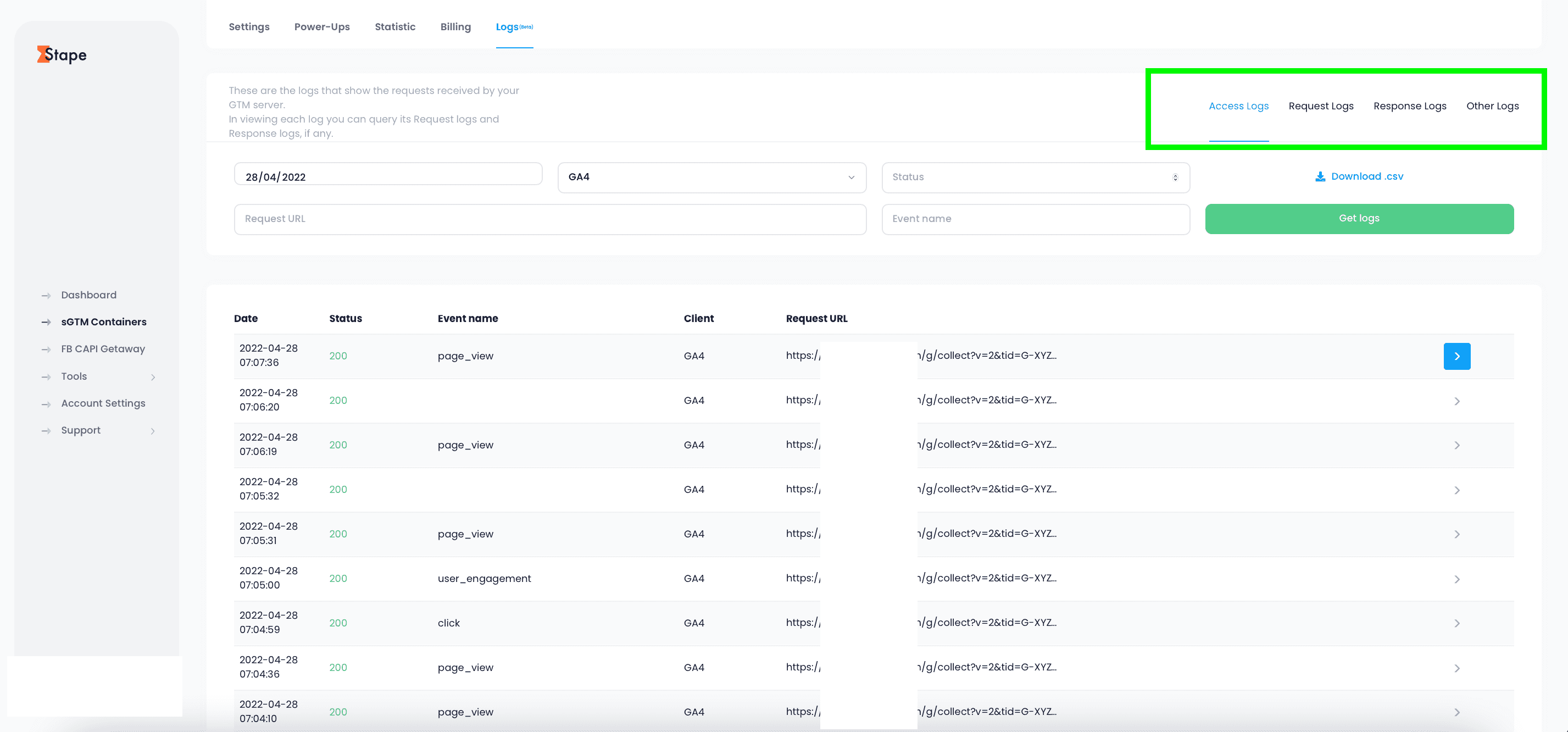
There are four types of logs available: Access Logs, Request Logs, Response Logs and Other Logs. All log types can be filtered by client, event name, response code, etc.
For example, you can check if all purchase events sent to Facebook received a 200 response code. It helps to ensure Facebook processed all purchase events successfully.
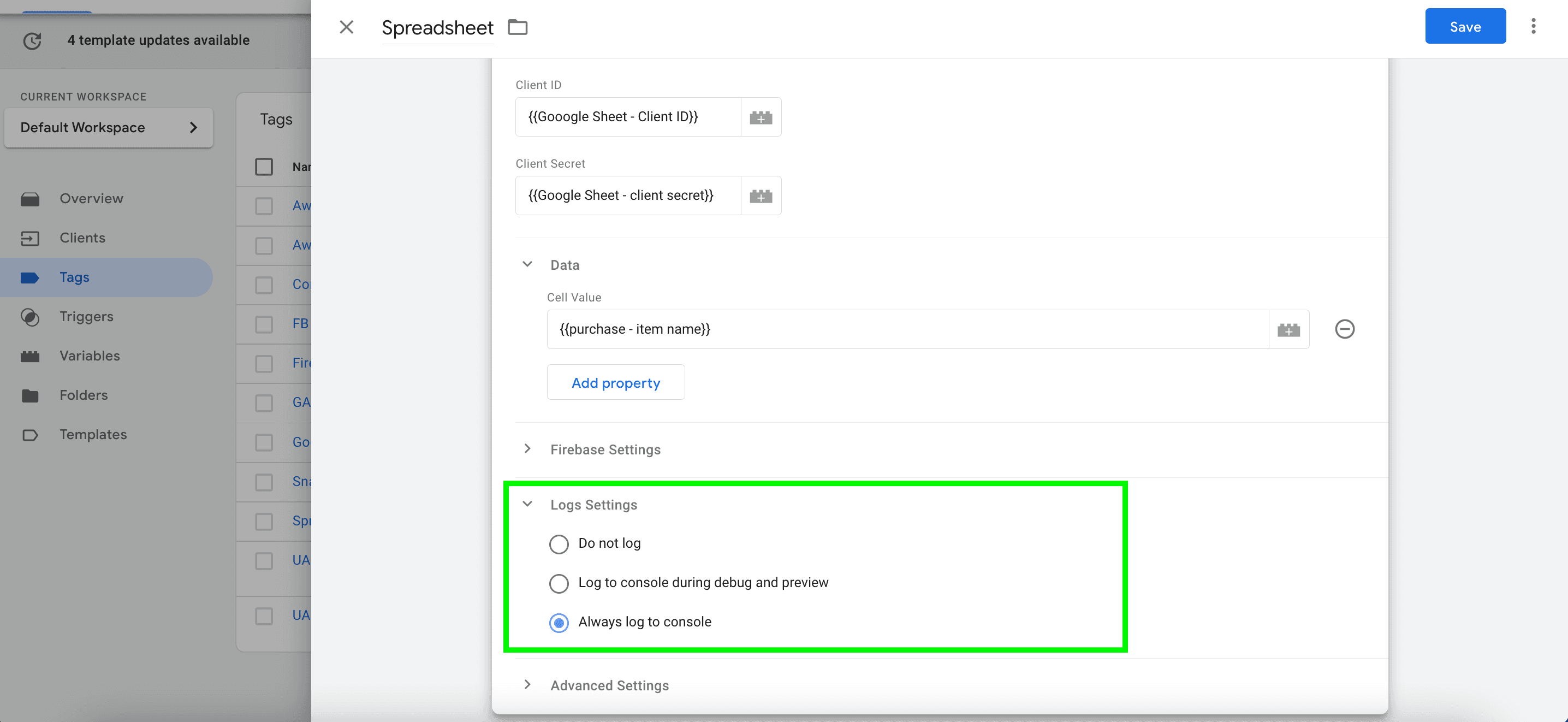
Logs are available only for stape sGTM tags or Logger Tag. To see logs, you should enable it in tag settings. To do that open the sGTM tag -> Scroll to Logs Settings -> Enable Always log to console.
To see logs log in to your stape.io account -> Open sGTM container -> Click Logs. You can filter logs by Client name, event name, status, and date.
1. Quickly test and troubleshoot server-side tagging settings.
Using Facebook server-side tracking (Facebook Conversions API) is getting more popular due to its ability to prevent tracking pixel blocking by ITPs and AdBlockers. Another massive benefit of Facebook conversion API is that it increases FB cookie lifetime. If you haven’t yet implemented FB Conversions API on your site, follow this guide. In this article, I will describe how to set up Facebook events deduplication if you are using both browser and server tracking methods for your site.
Want to learn how to set up the Snapchat Conversion API using server Google Tag Manager? Look no further! In this blog post, I will talk about everything you need to know.



