Proper Facebook conversion attribution is essential for businesses that want the full advantage of paid advertising. While some companies still rely on browser tracking, switching to server-side tracking can provide more accurate data. Server-side tagging enables direct communication with your server and Facebook server, delivering quality first-party data and using first-party cookies.
This blog post will provide actionable tips to help you improve your Facebook conversion attribution using server-side tagging.
One of the main advantages of s2s tagging is that it provides improved accuracy over client-side tracking methods. This is because server-to-server tagging can't be blocked since the communication takes on the server level. Tools like AdBlocker or other tracking prevention mechanisms can’t access data sent through the server.
When you enable FB s2s integration, your server communicates directly with the Facebook servers. It sends reliable data about events and users who visited your website that help FB attribute your users to their FB profiles in accurate way - meaning quality reporting and higher chance of successful targeting.
The most popular way of server-to-server Facebook tracking is setting Facebook conversion API with the help of server Google Tag Manager container. But there are several approaches to setting up FB CAPI in sGTM. In this guide, I want to describe different methods of setting up FB CAPI, how each way impacts FB attribution, and how to improve attribution.
These suggestions are based on stape's experience and stape customers' feedback.
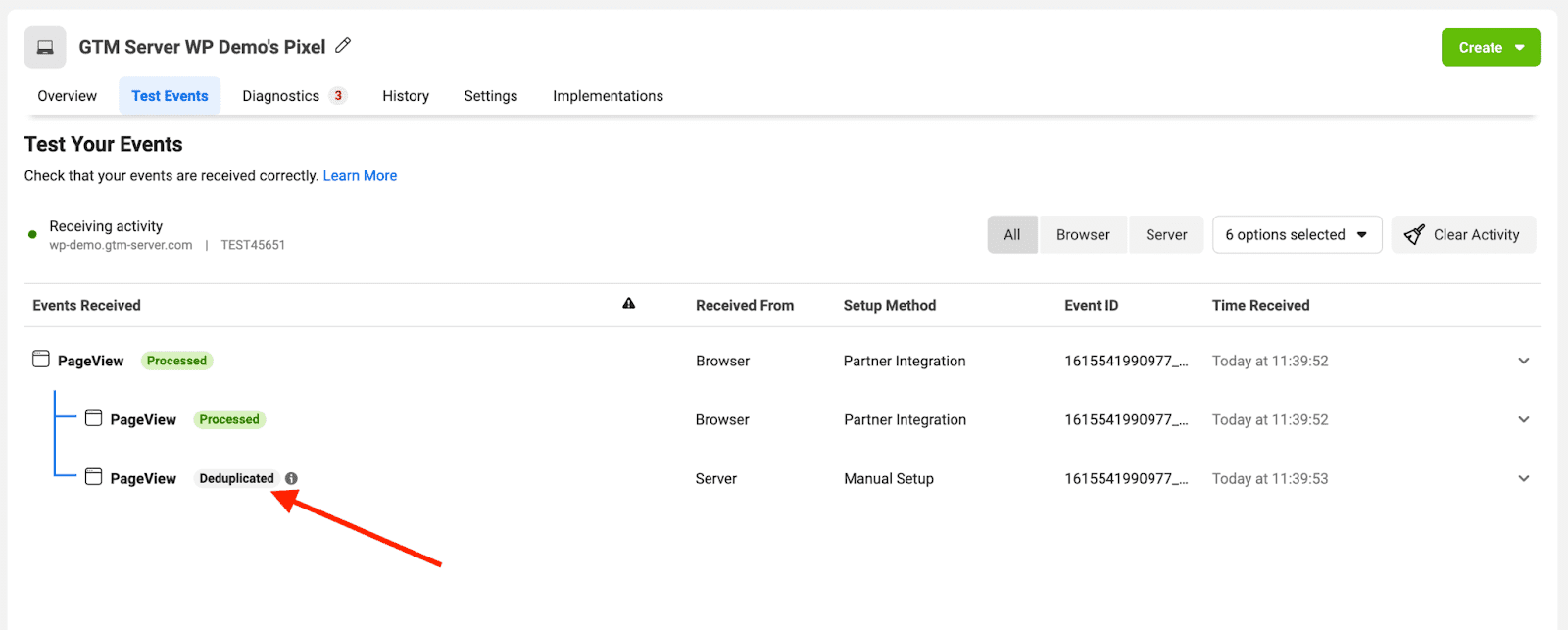
Facebook recommends setting up CAPI using the browser+server method. When browser tracking is blocked, server tracking will still send user data to Facebook. When both browser and server tracking is triggered, FB uses the event name and event ID for event deduplication. It discards one event and keep another to prevent overreporting.
We have a blog post that describes how to set up Facebook CAPI using server GTM.
FB gives higher priority to browser events. When they see both browser and server events, their deduplication algorithm will likely discard server events and record browser events. So if you send more data with a server event, FB won’t be able to read this data. They also do not combine web and server event parameters.
An essential aspect of setting up FB CAPI using hybrid methods via Google Tag Manager pops up when you use GA4 (or any other GTM tag) to deliver data from the web to server GTM. In cases when AdBlocker blocks GA4, it does not provide data to sGTM, meaning FB CAPI tags also do not trigger. So in this scenario, browser events do not trigger, as well as server tags.




Comments