
Ivanna Holubovska
AuthorWebsite page speed optimization was one of the essential benefits that marketers and web developers saw when the first version of Google Tag Manager was released. It was supposed to happen because tracking scripts would no longer be hardcoded but would be added through Google Tag Manager. So, does the GTM web container speed up your site?
This article will showcase how moving to the GTM server from Google Tag Manager Web Container can speed up your website. Please note that you won’t see any pagespeed improvements if you’ll combine server and browser tracking. For example, your site’s pagespeed won’t increase if you use both Facebook pixel and Conversion API. In this case, FB pixel will still work in user’s browsers and slow your site.
According to Google research, if a site takes longer than 3 seconds to load, 53% of users will leave. At the same time, on average, it takes 22 seconds to load the mobile page fully.
We live in a time when people use watch phones more than desktop devices, and smartphones account for more than 50% of all Internet traffic. But according to Google, the conversion rate on mobile phones is lower than on the desktop. That is why the website loading speed plays an essential role in meeting performance standards.
It is no secret that users expect a fast site experience. If the landing page is too slow, they’ll close the page or abandon the cart and move on to the competitors’ site. Today, in the mobile-first world, it’s critical to create fast-loading sites. Users want to have the ability to quickly open your blog and read the article, buy new clothes, check hotel reviews, and so on.
According to Amazon’s research, a 1-second delay in page response results in a 1% loss in conversions. That is equivalent to a loss of $1.6 billion in annual revenues for them.
As you can see, waiting for heavy pages to load can cost a lot for any company.
In 2020, Google released a server container for Google Tag Manager and Tag Manager 360. It enables advertisers to move third-party tags from their sites to a new server container hosted in the сloud servers. This way, the website can load faster, tracking can be more accurate, and data can be safer. Besides, moving tags to the server container can help you to solve this Google PageSpeed error – “Reduce the impact of third-party code — Third-party code blocked the main thread for 550 ms”.
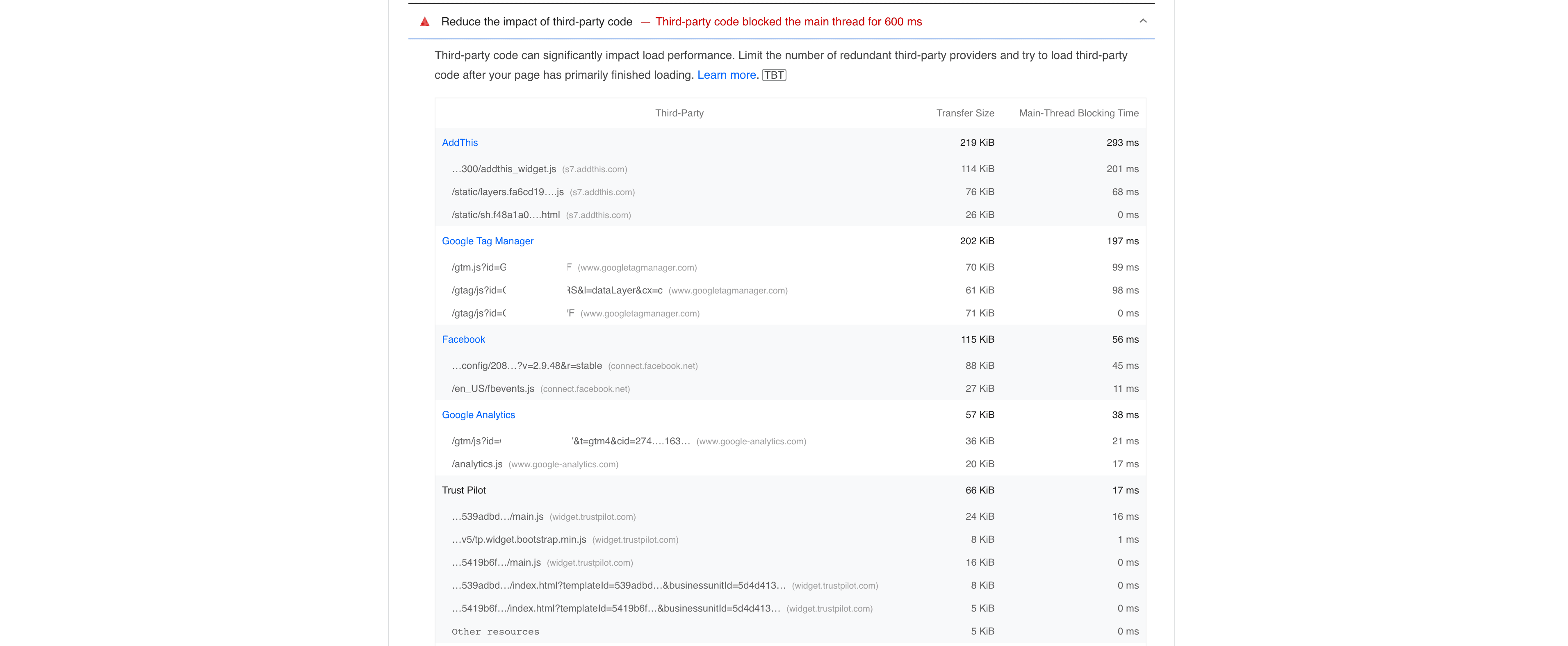
If you move tags from the web to the server container, tags will be loaded directly into the server container, not inside the user browsers. This way, the page will load faster, and it will have a positive effect on the user experience. As you see, it can provide faster page load times, more security for your customer data, and more data management tools.




Comments