
Ivanna Holubovska
AuthorWith the constant evolution of online advertising come new difficulties. One of these is server-side tracking, a tool for monitoring user behavior on websites that employ cloud servers instead of user browsers. It appeared in 2020, meaning it’s pretty new, and not many people have dived into it precisely.
So, if you start a new marketing initiative and decide to run some advertisements on social media, you definitely have to know about this new tracking method. We decided to make this blog post for beginners in the server-side world. Here you can find server-side tracking benefits, a brief overview of the most popular platforms that support server-side tagging, a discussion of different use cases, and the advantages of Stape servers for sGTM.
If, like many organizations today, you are unhappy with inconsistent analytics data and/or worry about data ownership and privacy, server-side tracking may help with some of your problems. So let’s take a closer look at how it works.
With server-side tagging, data is shared between tracking platforms and third-party vendors through the cloud server. It eliminates the use of the user's browser. A server container operates on a cloud server under your control instead.
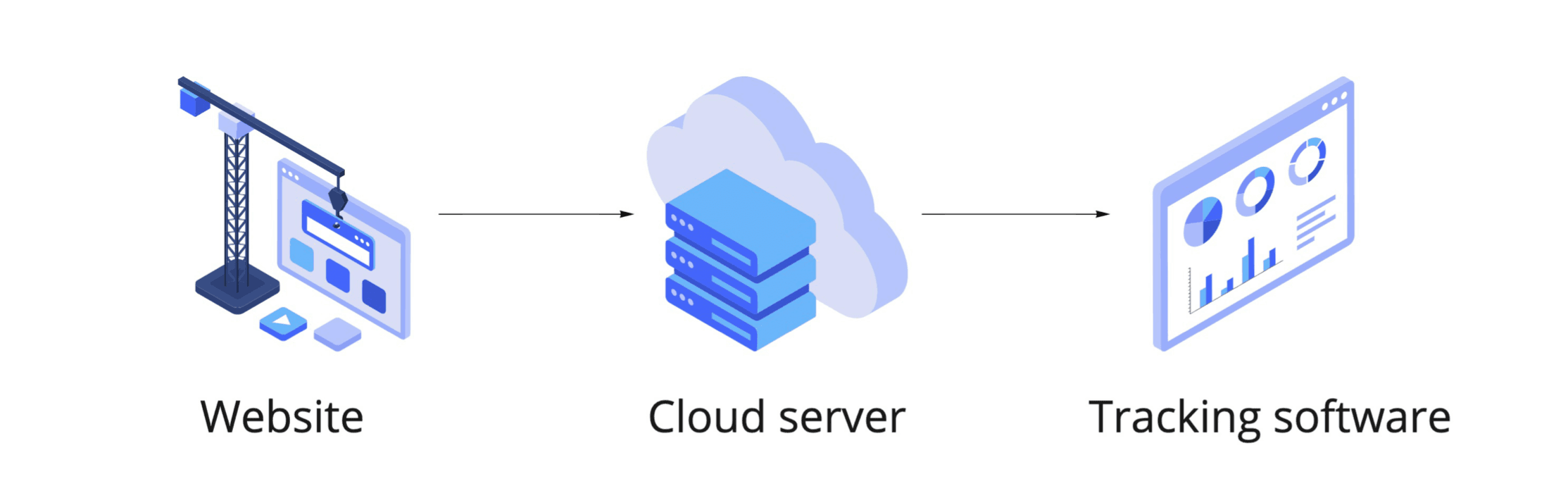
The introduction of the Server Google Tag Manager container considerably affected the popularity of server-side tagging. Using the sGTM interface, you can implement server-to-server tracking for the most popular platforms. You can also use web GTM as a data source for your server GTM container. To feed data to the server GTM, you can use either Google Analytics 4 or Data Tag/Data Client.
Despite appearing similar to the web (client-side tagging), the server GTM container uses server-side tracking, which operates on a completely different logic.
Client-side tracking is a traditional form of tracking in which analytics providers communicate directly with the user's browser. Tracking tags are activated, the container loads simultaneously with the page load, and all interaction data is delivered to analytics providers. This means the page is overloaded + the speed of the page decreased sharply + problems with security and third-party cookies appeared.
That’s where server-side tagging comes to a rescue! Server-side tracking can manage data loss caused by ITPs, iOS limitations, and AdBlockers, as well as speed up your website and protect the data.
In the case of ss tagging, an intermediate point (cloud tagging server) is added. Cloud tagging server processes the request instead of the client browser. The request goes first to the cloud server, then the server processes it and sends it to a third-party system.
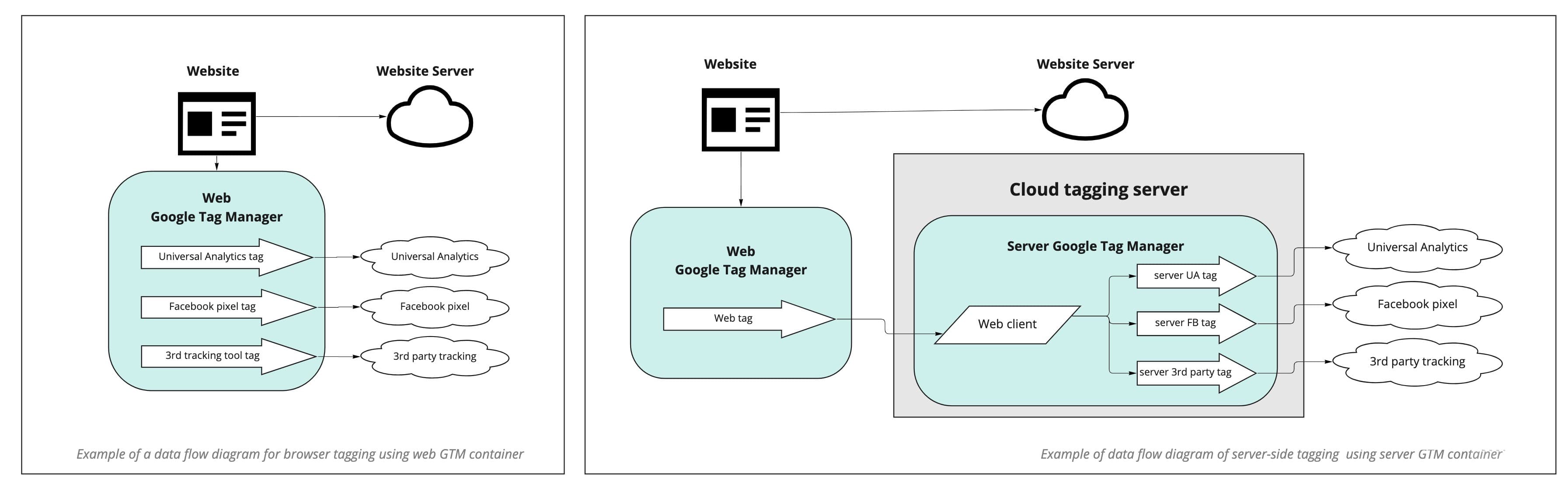
There are several tools you can use for setting up ss tagging. Our choice is the server Google Tag Manager container. The main advantages of using sGTM, in our opinion, are:




Comments