Collecting data about your website visitors is critical for analyzing and improving the online business presence, reaching users, and converting them into customers.
However, collecting data is becoming more problematic because of Intelligent Tracking Prevention, AdBlockers, and a decrease in cookie lifetime. Google Analytics and other similar tools will start seeing fewer data about your website visitors and giving you less information to analyze. On the other side, tracking policies and rules make website owners strictly control what data about website visitors they share with 3rd party tools.
To help address these challenges, Google introduces a new feature – Server-Side Tagging to Google Tag Manager.
Google Tag Manager (GTM) Server-Side tagging allows website owners to move third-party tracking pixels from their website and start tracking website visitors from the server. It means that the client browser will no longer process tracking pixels. It will be loaded directly from the server.
This approach provides the following benefits:
Your digital marketing analytic tools (like Google Analytics) can run without executing 3rd party cookies on the client-side. With appropriate server containers set up, you will forget about heavy javascript, blocked 3rd party cookies, and incomplete data in analytics tools.
If server-side tracking is hosted in your website’s subdomain, all requests will be considered first-party. Google has a detailed description of what is GTM server tracking and how it can benefit your website.
There are many common elements between web and server containers, like tags, triggers, variables, preview mode, etc. The setup of the GTM server-side container is more complex than the standard web container. You will need knowledge of web GTM, Google Analytics, Google Cloud, and web programming in general. I suggest reading this blog post if you wish to set up a GTM server container via a native Google environment.
We created a service that simplifies GTM server container configuration by removing the part of Google Cloud servers set up, streamlining domain creation, giving you the ability to download Google Analytics from your domain, and making 3rd party cookies 1st party.
? This video shows how to set up server Google Tag Manager container
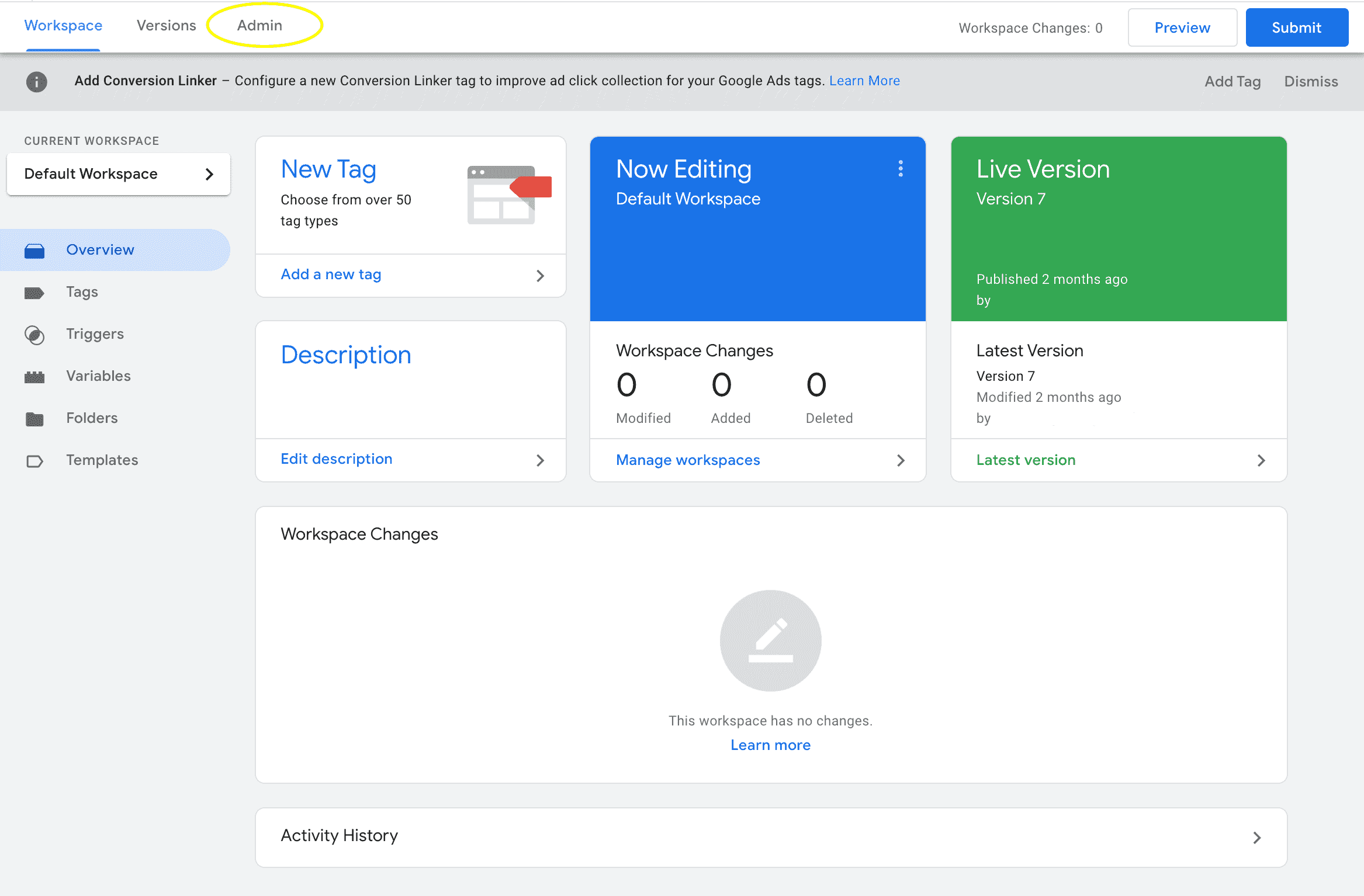
1. First of all, you need to create a Google Tag Manager Server container. To do that, go to https://tagmanager.google.com/ and choose the account where you want to make a container. Click Admin.
2. Under the container column, click +.




Comments