Firestore and sGTM integration give numerous opportunities for server-side tagging. The best thing you can do with this combination is to enrich server-side data.
You can quickly get data from Firestore using a new Firestore Lookup variable. It’s a native variable and available for everyone in sGTM. But how can you write data to Firebase? Stape solved this problem by creating a Firestore Writer tag.
This blog post will show how to write data to Firestore from the server Google Tag Manager container. I’ll also show how to use the Firestore Writer tag and Firestore Lookup variable to enrich server-side data. Let's get started!
Firestore is a flexible and scalable NoSQL database with document-oriented storage. Unlike SQL databases, there are no tables or rows in Firestore - instead, you store data into documents that get organized into collections for easy navigation and management.
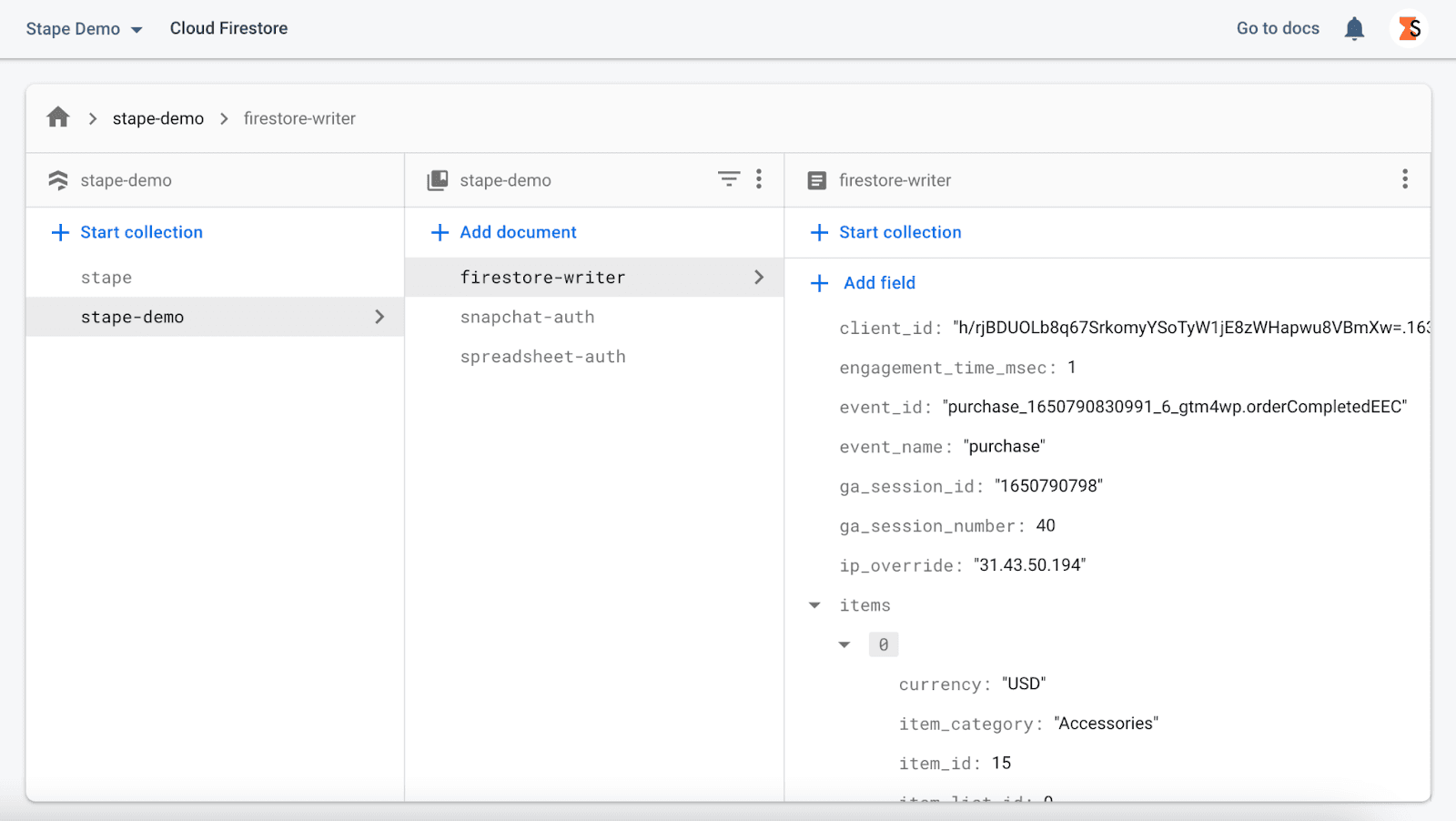
Firestore is the perfect solution for those with extensive collections of small documents. It stores data in documents that are organized in collections. Each document includes name-value pairs.
With the newest release of server-side GTM API, it’s now possible to build integration of Firestore and sGTM. We used this API to create the Firestore Writer tag. Let me quickly describe what functions Firestore sGTM API gives.
Firestore.read - reads data from Firestore document and returns a promise that resolves to an object containing two keys: id and data.
Firestore.write - writes data to a Firestore document or collection. If you specify only the path to the collection, the document will be automatically created with a random name.
Firestore.query - returns an array of Firestore documents that match specified query conditions.
Firestore.runTransaction - allows reading and writing from Firestore automatically.
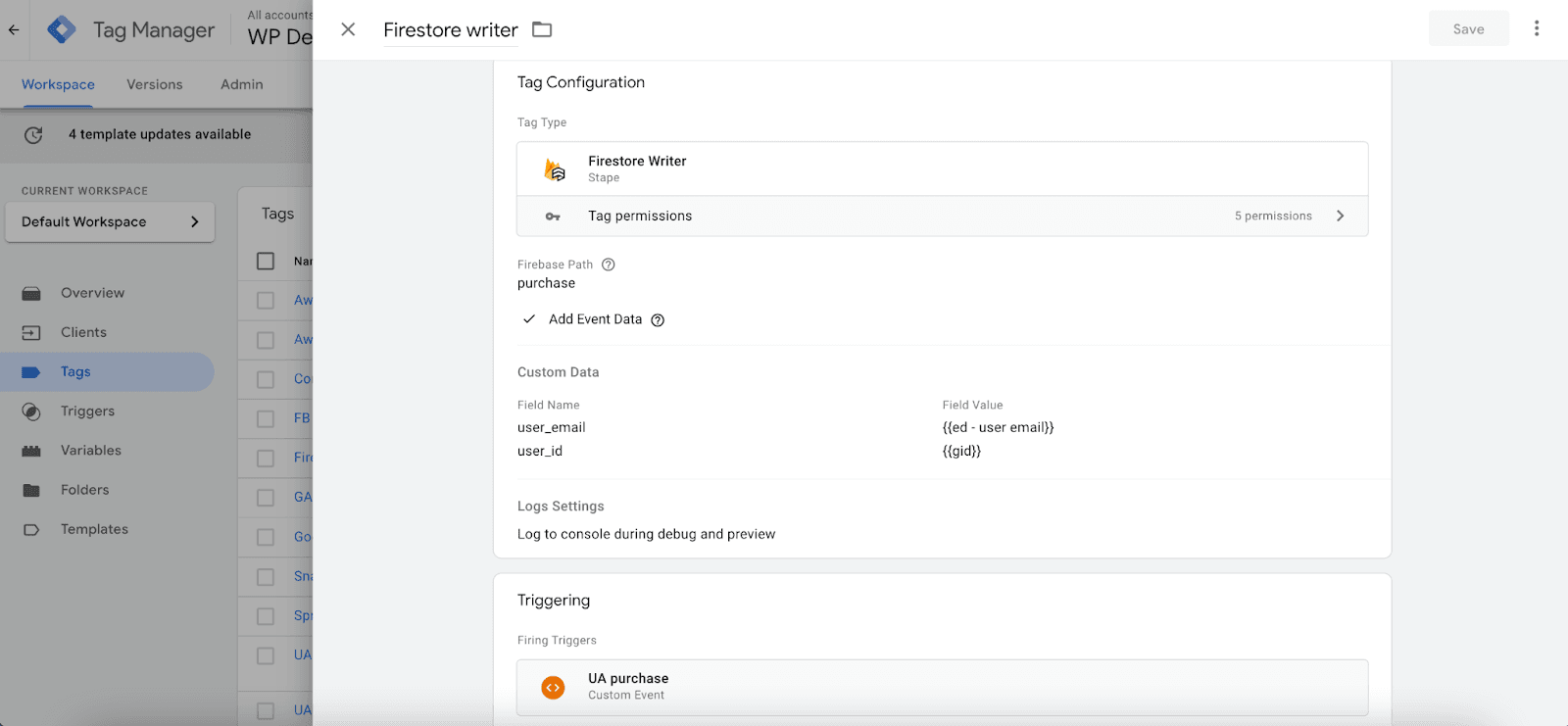
Firebase Path - specify a path to your Firestore document or collection. Must not start or end with a '/.' If the path is to a collection, a document will be created with a randomly generated ID. If the path is to a document that does not exist, it will be generated.
There are several action types that this tag allows:




Comments