
Ivanna Holubovska
AuthorHubSpot is an excellent tool for marketers. One of the best features I like about HubSpot is having customer data collected in a single place. It allows tracking your campaign success and customer journey without any problems.
It is no secret that one of the crucial customer data sources is the website. But creating a complete user persona one step before the purchase can be challenging, especially without the HubSpot integration. Fortunately, we can help you find a way around it.
We created a Google Tag Manager server template to integrate the site with Hubspot, create new and update existing contacts, and track custom behavioral events.
Here we will discuss how to use the HubSpot tag for the Google Tag Manager server container to enjoy the benefits of a marketing automation platform without sacrificing the data you need and to make informed decisions about your campaign’s success.
Marketers want to increase their website conversion rates. They can do this by analyzing customer interactions with the site and tracking them before and after the purchase. This way, they can identify the factors that influence the user’s decision-making.
As mentioned before, having all the relevant customer information collected in one place is one of the perks of the HubSpot integration and reasons why people tend to choose it over other tools.
HubSpot has many integration options for the most popular platforms like Google Analytics, Facebook, etc. These integrations allow you to attribute ads directly to the Hubspot contacts who interact with them. But how do you add contacts to HubSpot? That’s a relatively easy task if you use HubSpot forms. But what if you have custom contact forms or a CMS that is not easy to integrate with Hubspot?
One of the options is to upload contacts into HubSpot manually. However, it may lead to errors like forgetting to add important contact information.
We have a solution for this — a server-side tag for HubSpot. With our tag for the Google Tag Manager server container, you can integrate your site with HubSpot.
GTM server tag for HubSpot allows to:
1. Create new contacts
2. Update existing contacts
3. Add behavioral events
4. Track ecommerce events
The HubSpot tag for the Google Tag Manager server container communicates with the HubSpot API and adds the information you send. That is a secure and reliable way to send user data since the communication is done on the server-side, without using the browser and JavaScript. By using the HubSpot tag for the Google Tag Manager server container, you can ensure that the information you send to HubSpot is safe and can’t be blocked.
2. Send required data to the server container. We have blog posts that describe two methods: sending data using GA4 or using Data Tag.
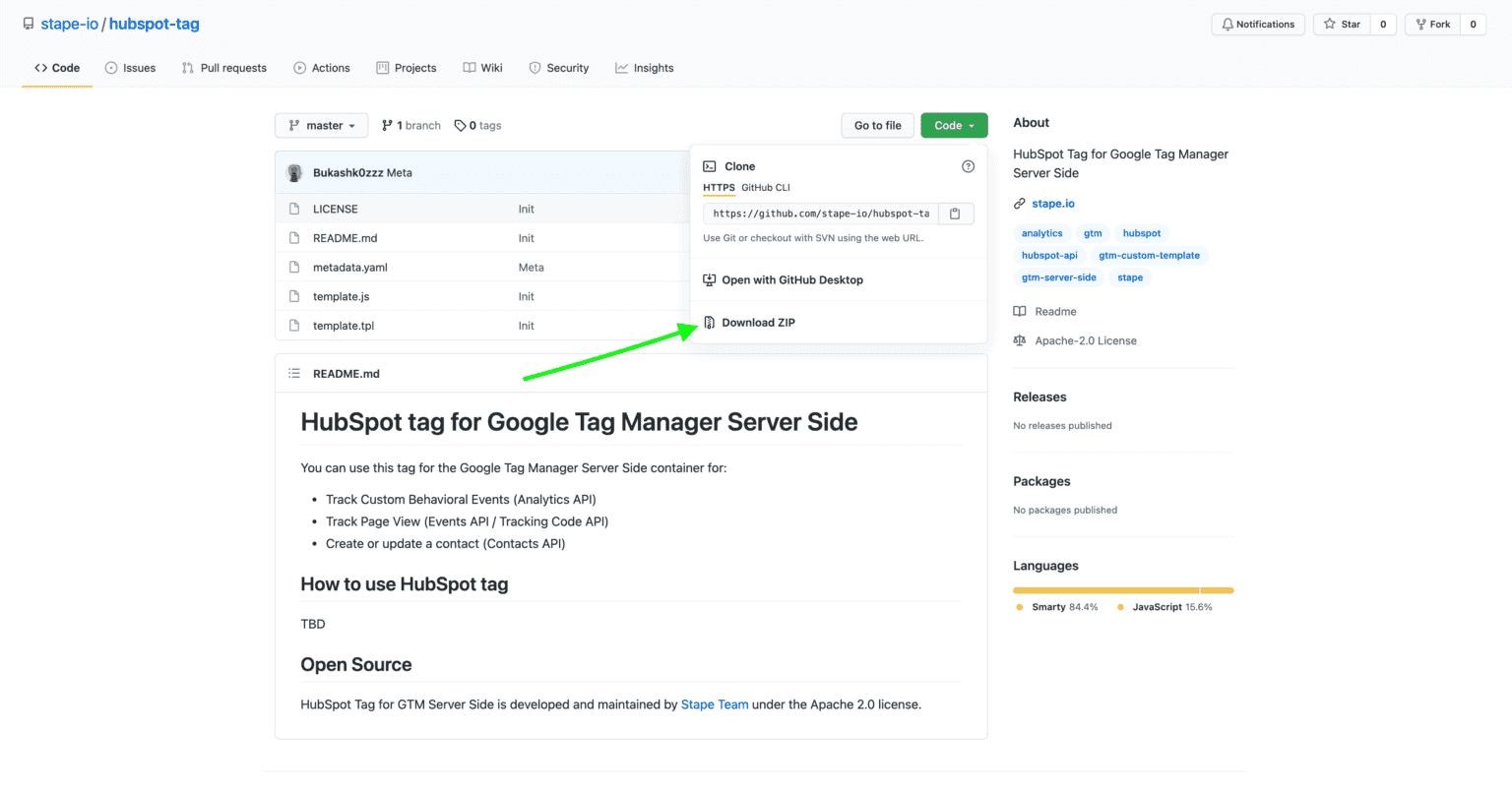
3. Download the HubSpot tag for the Google Tag Manager server container from GitHub and upload the server container. Download a zip file from GitHub -> Open server container and go to the templates section -> Click new in the tag templates section -> Click three dots on the top right corner and Import -> Click Save.




Comments