
Ivanna Holubovska
AuthorFacebook spent a lot of effort pushing marketers and site owners to implement FB Conversion API. If you run advertising on Facebook, you’ve likely already heard about Facebook conversion API and why it’s essential to implement it to make your tracking more accurate because of iOS 14, AdBlockers, and ITP. So how can you implement it?
In this guide, I want to show you how to set up a Facebook conversion API for Shopify using the Google Tag Manager Server container. This method allows setting up server-side tracking using GTM web, server container, and GA4 or Data Tags to send data from web to server. The main benefit of this method is that it works for the customized websites or non-standard events where the Native Facebook app is not helpful.
A year ago, Apple announced that after the update the apps would have to seek user agreement to track their behavior t. And now, in April 2021, they finally released this feature. All apps need to ask users to opt in for or opt out of sharing this information.
According to recent studies, 80% of users will opt out of tracking. That’s why Facebook is pushing advertisers to move tracking to the server-side. FB CAPI is a great example of the next tool created by Facebook that can help advertisers improve the accuracy of user data, measure customer actions effectively, and share data with the platform in a more efficient way.
Here are some numbers that will tell why it is necessary to implement server-side tracking:
We already know that Safari, Firefox, and Mozilla implemented ITP that blocks third-party cookies. Other browsers also announced that they were planning to phase out 3-rd party cookies. With the server-side tagging and a custom subdomain, you can send tracking requests from your subdomain and make it 1st party.
All these changes in user tracking explain why it is crucial to implement SS tracking.
Shopify is one of the largest eCommerce platforms, and most of the Shopify stores run ads on Facebook.
Facebook conversion API has the same purpose as Facebook pixel but works in a completely different way. Facebook browser tracking works on the client-side (inside the user browser), and FB CAPI works on the server.
FB CAPI allows to:
With server-side tracking, you can prevent misinformation or information gaps. Facebook recommends using both browser and server tracking. It means that if your Facebook browser pixel is blocked, Facebook will still track user data using the server.
Update August 2021:
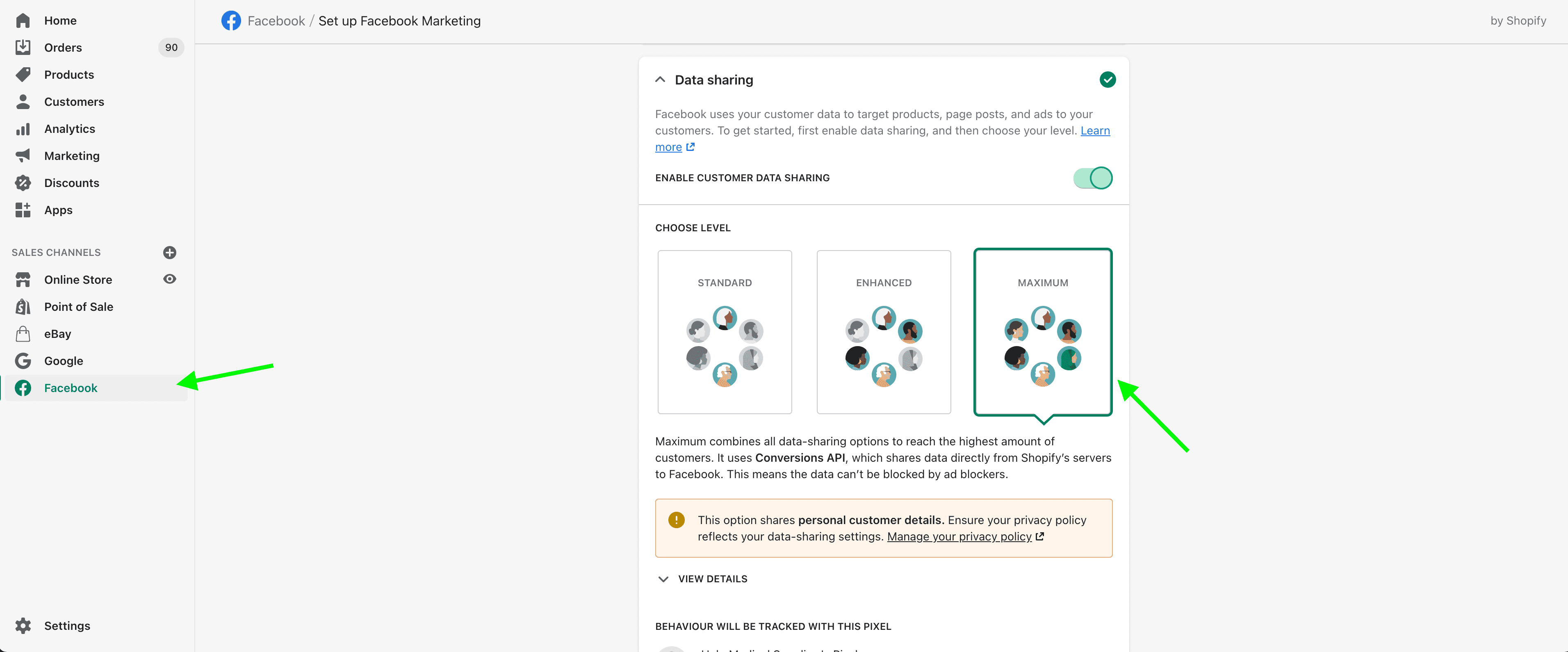
The easiest way to implement Facebook conversion API is to use the native Facebook App for Shopify. All you need to do is add Facebook App, connect it to your Facebook Business Manager and enable Maximum tracking level.
But the main disadvantage of this method is that FB will track only Purchase events from both Browser and Server. All other events will work only from the browser. It means that you won’t track PageViews, AddToCart events, or product views when browser tracking is blocked. If you implement the default method, you will see this picture inside the events manager. Only Purchase events will show a match score and will be tracked through the browser and server.




Comments