
Stape has two types of accounts:
If you would like to use an agency account, please send an email to support@stape.io, and we will create one for you. Or you can create an agency account on your own just following this guide.
You can easily share access and transfer ownership of your sGTM containers using stape admin.
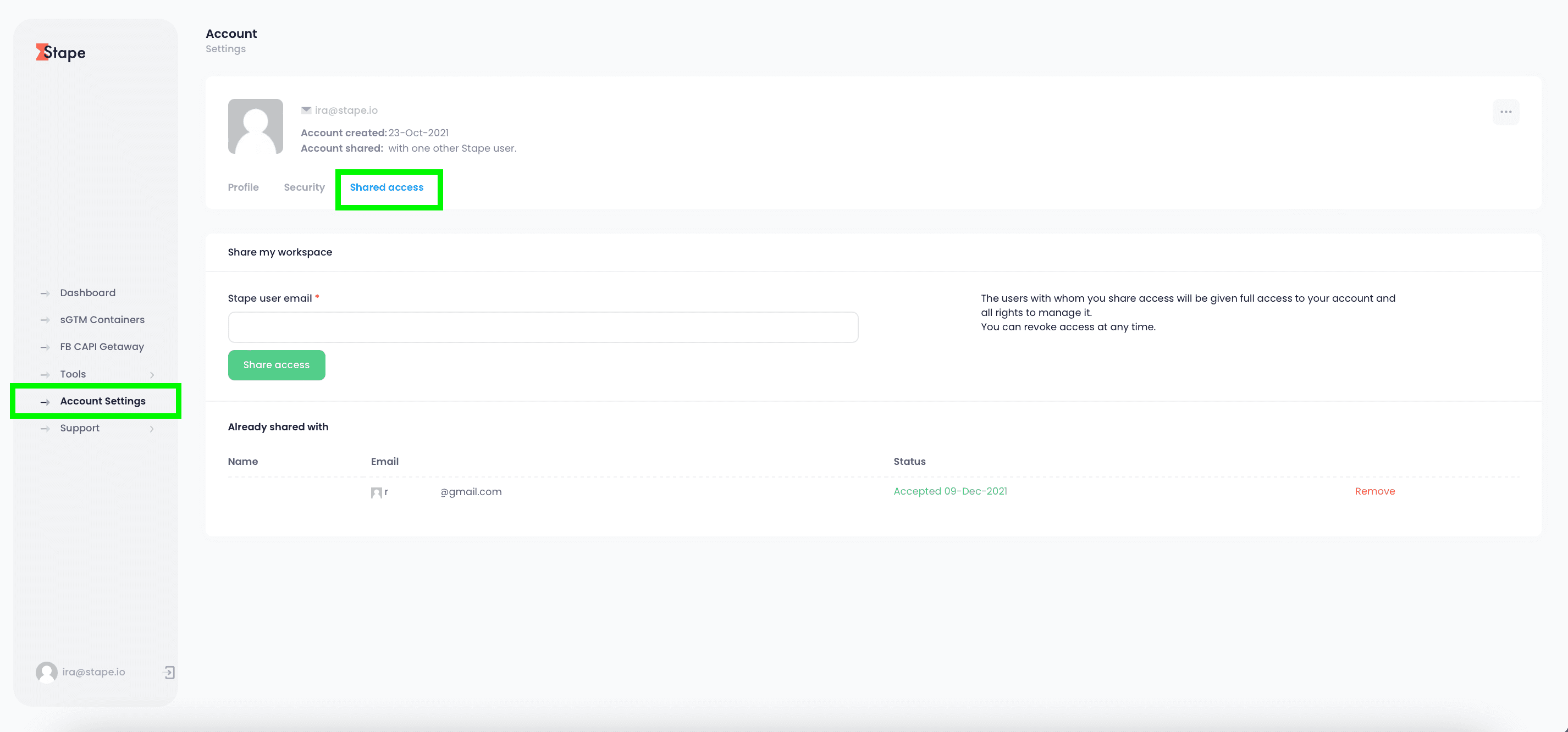
To share access to your stape account click Account Settings -> Shared access -> Add Stape user email -> Click Share Access. Once done, a user will have access to all containers in your account.
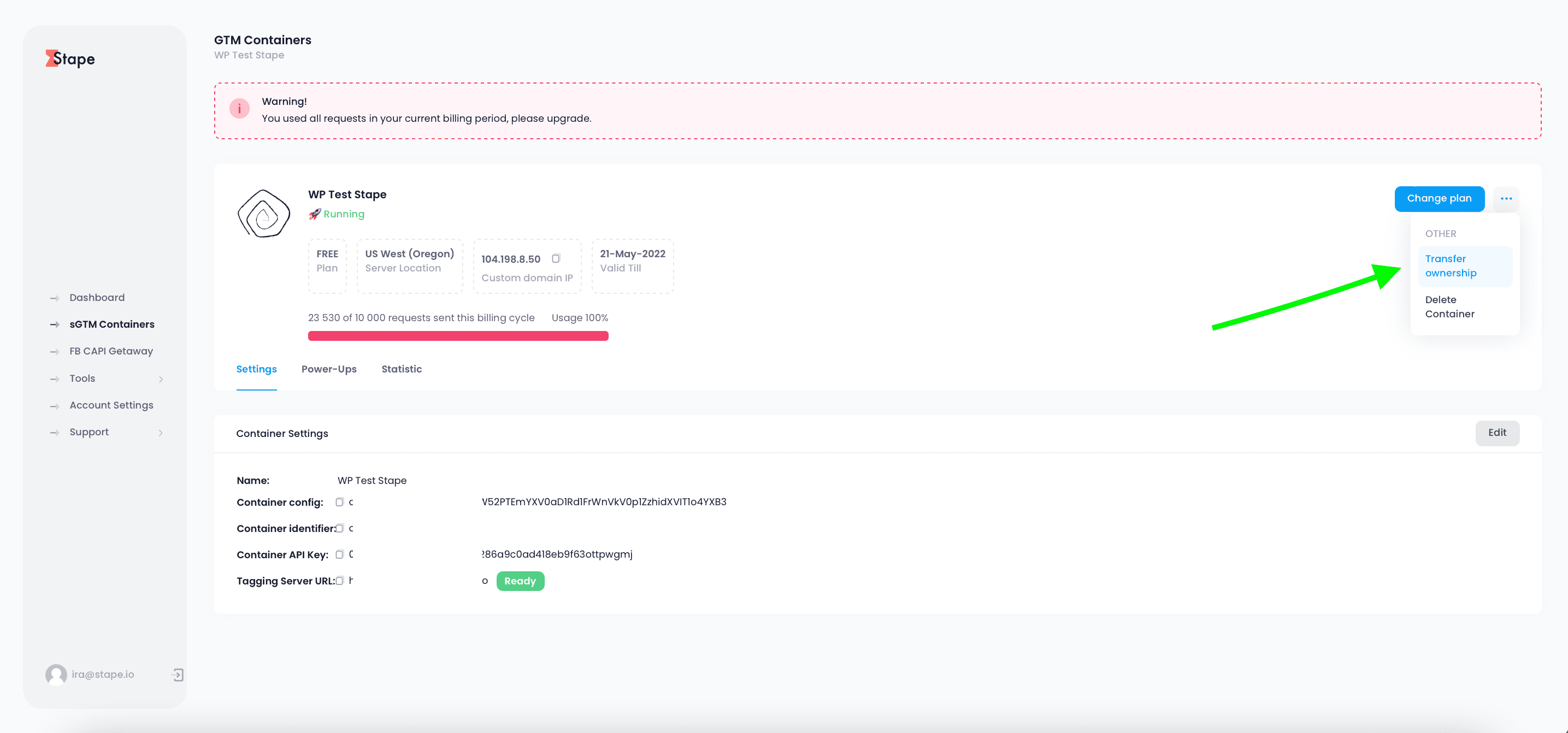
To transfer ownership of the container, open the sGTM container -> Click three dots in the top right corner -> click transfer ownership -> add user email. Note: once ownership is transferred you will lose access to this container.
Hosting your server Google Tag Manager on stape is the best way to set up server-side tagging. Here's why...



